
Set up a custom domain
Put your website on your own web address, like www.yourstore.ca: buy it at GoDaddy, enter it in ASP, add one record. Part of Retail PLUS.
Your website starts out at your ASP address, like yourstore.asp-software.ca. With your own domain it can be www.yourstore.ca instead. It takes about 15 minutes, plus some waiting while the internet catches up. Custom domains are part of Retail PLUS.
Already using a domain for another website, like the one your old POS gave you? Don't move it on your own: moving it can take that website down. Submit a ticket and we'll walk you through switching it over. Someone usually replies within 1 business day. In the ticket, include the website address you'd like to switch over and who you bought the domain through (GoDaddy, Lightspeed, etc.). Not sure who? Look it up on DomainTools: type your website address into the Whois Lookup and it's listed as the Registrar (for example, TUCOWS.COM).
1. Buy your domain at GoDaddy
In ASP, click Webstore in the sidebar, then the Custom web address tab. Under B) You don't have one yet, click Get a domain at GoDaddy.
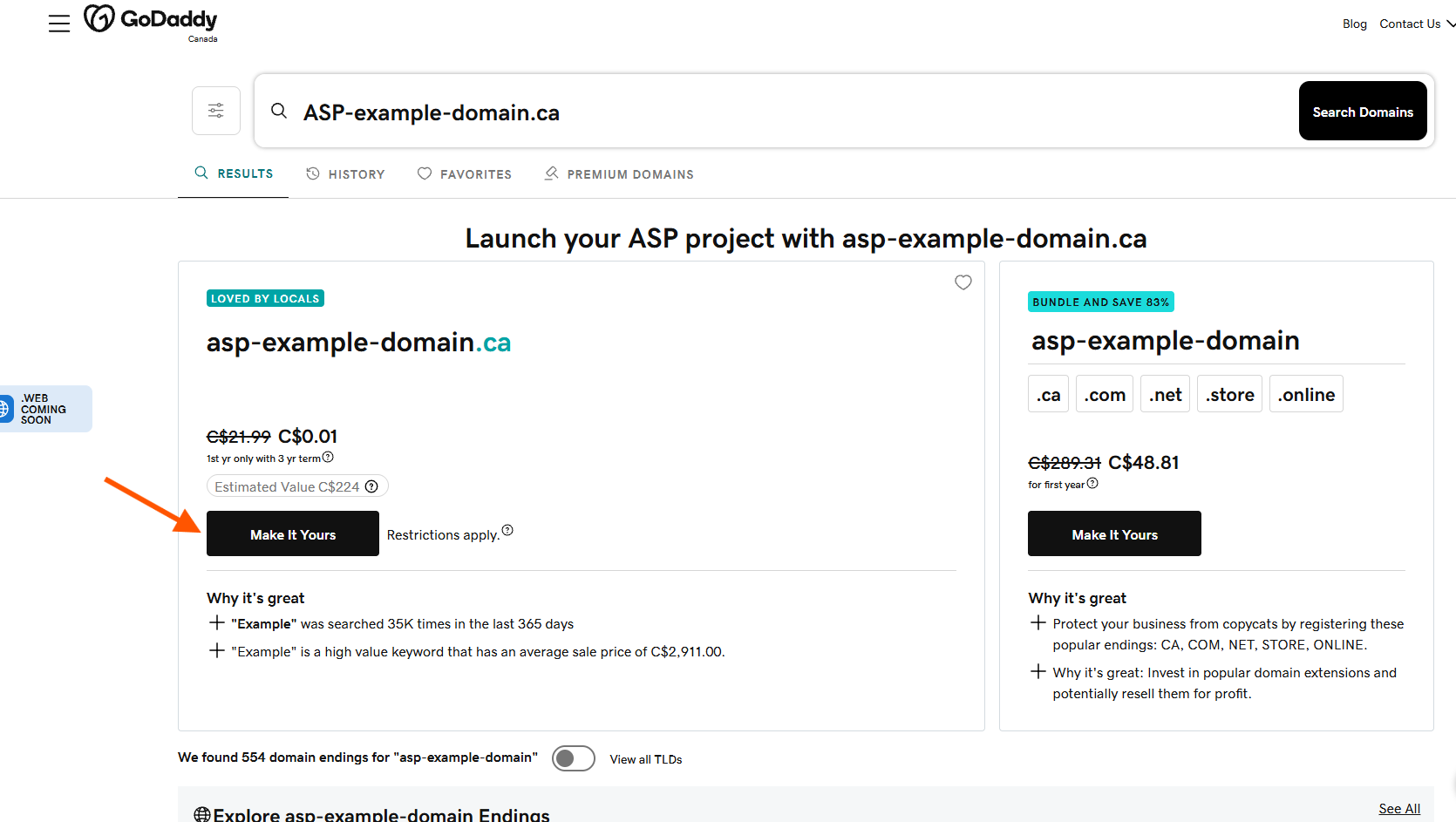
Type the domain you want into GoDaddy's search box and click Search Domains. .ca and .com work best for a Canadian store.

If it's available, click Make It Yours.
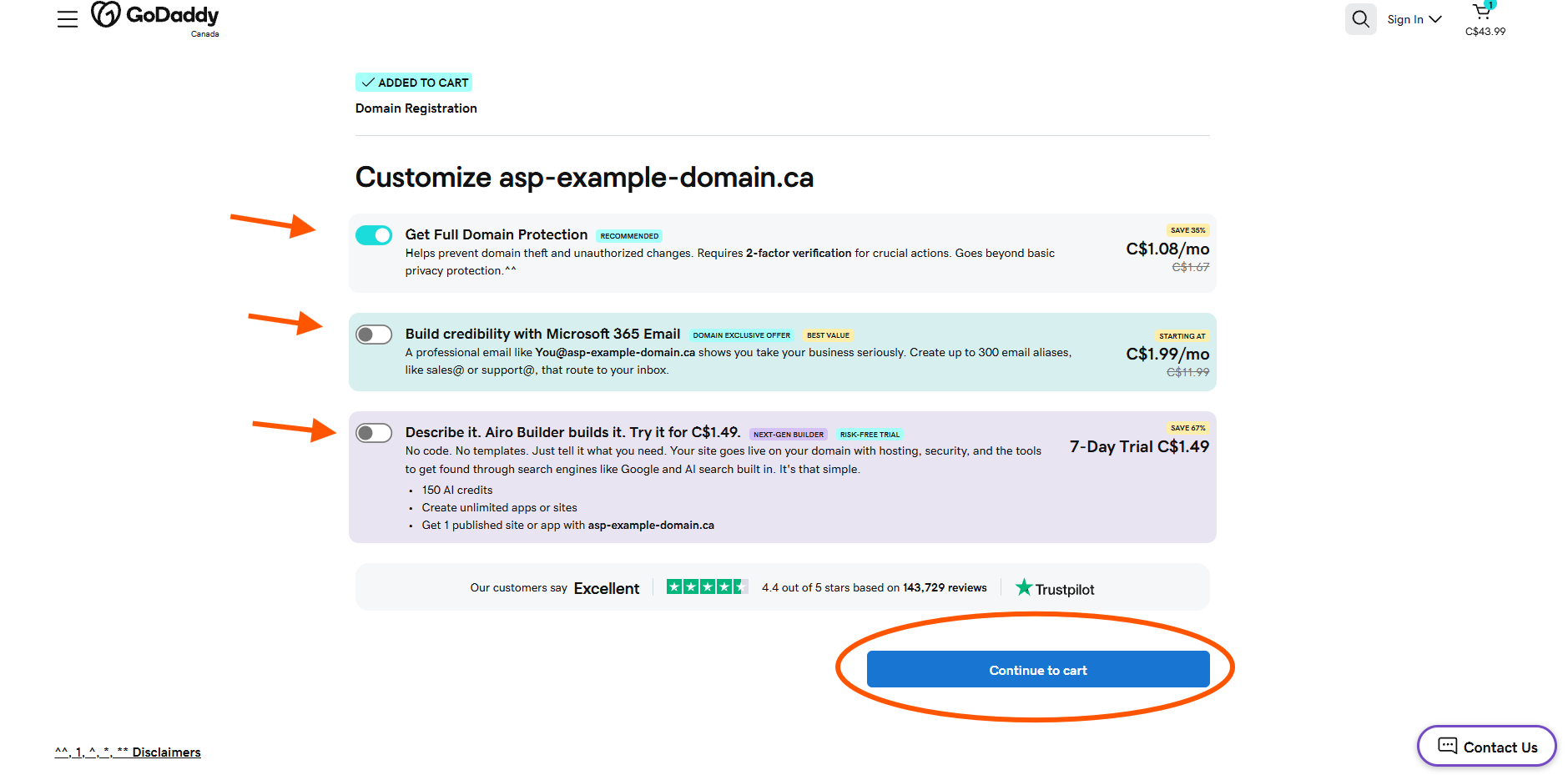
GoDaddy offers a few extras. Switch on any you want, or switch off any you don't. Full Domain Protection starts switched on. None of them are needed for your ASP website, so it's your call. Then click Continue to cart.
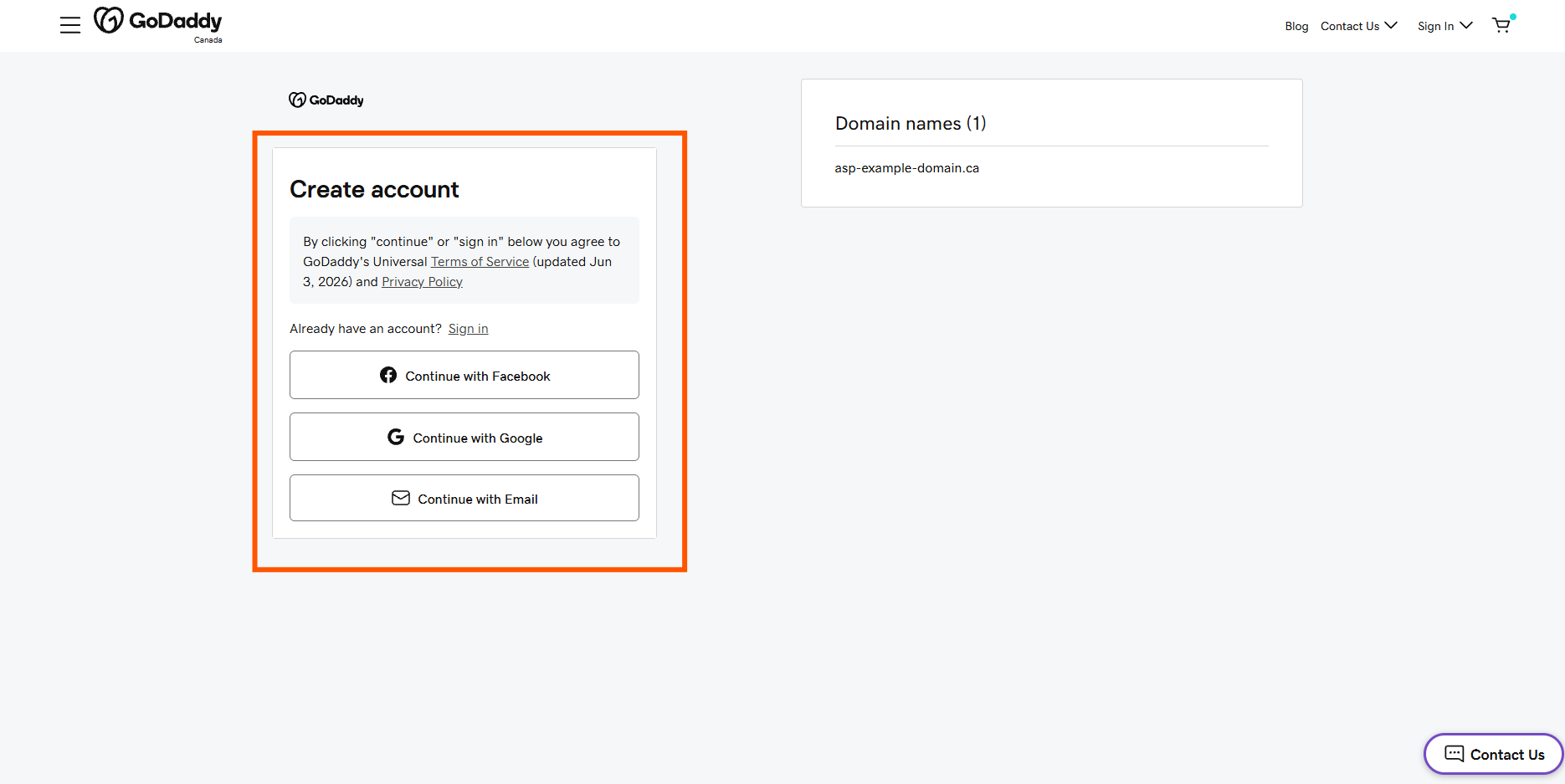
Create your GoDaddy account with Facebook, Google or your email, or Sign in if you already have one.
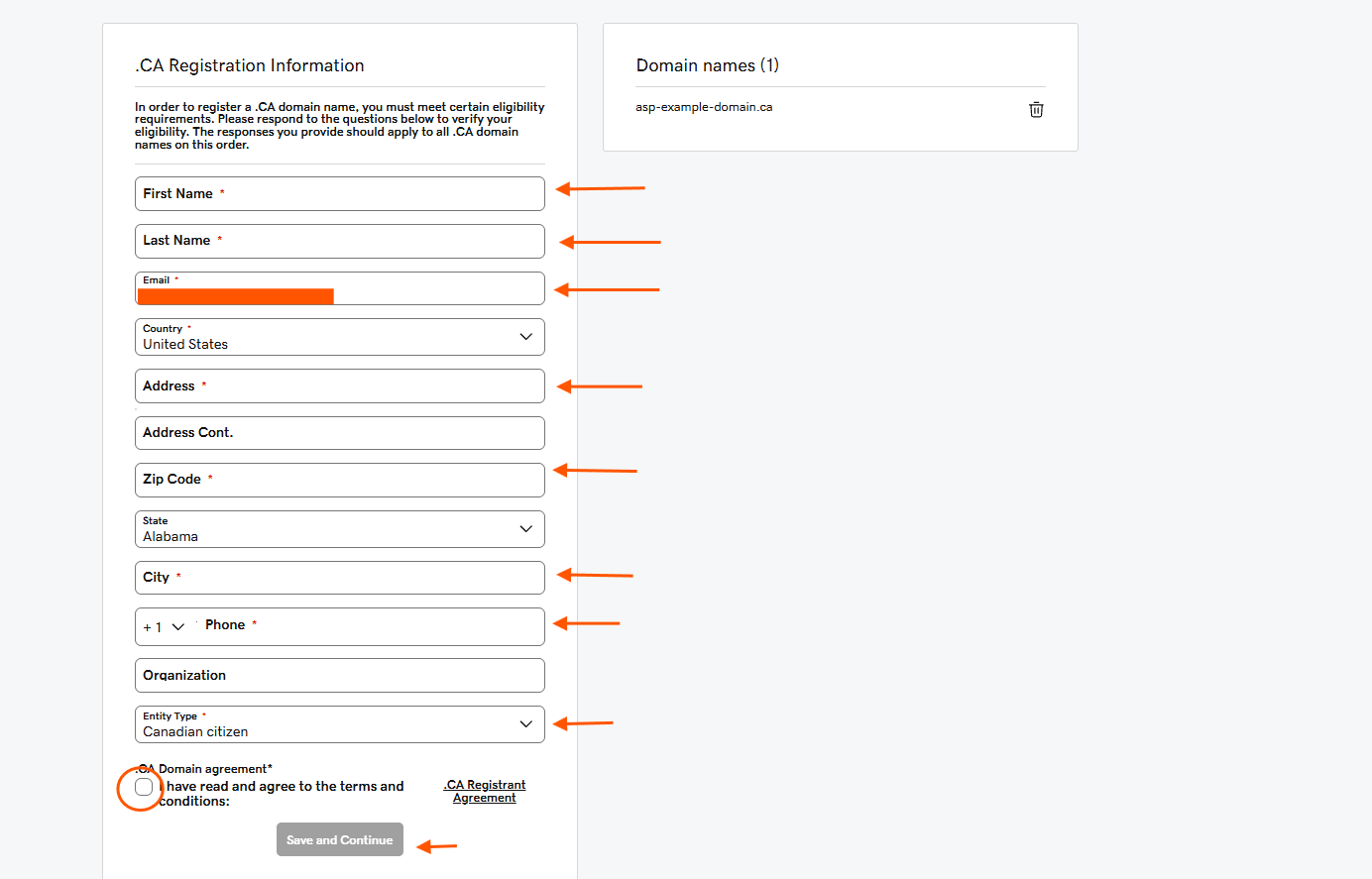
A .ca domain asks for your registration information. Fill in the boxes marked with *, tick the .CA Domain agreement, and click Save and Continue.
In your cart, click Have a promo code?, type GDWELCOME and click Apply.
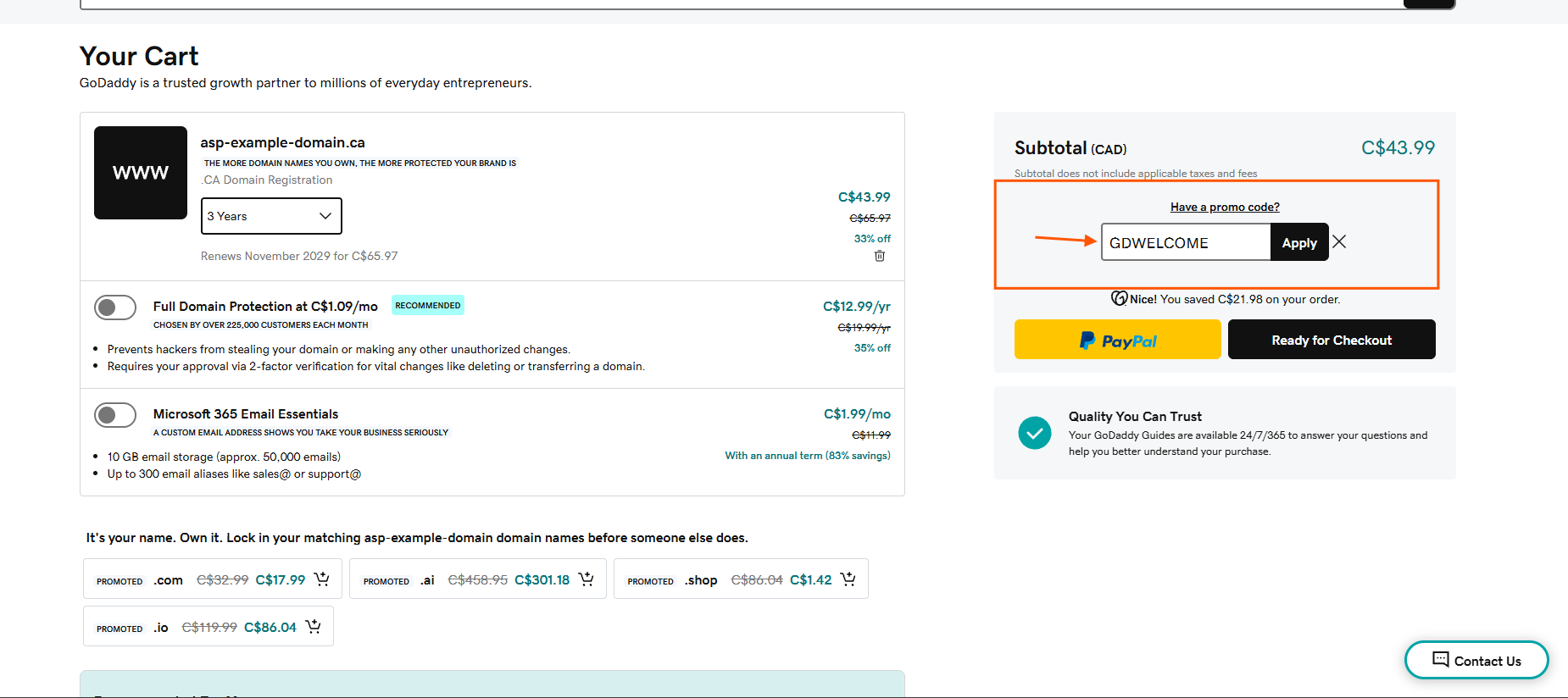
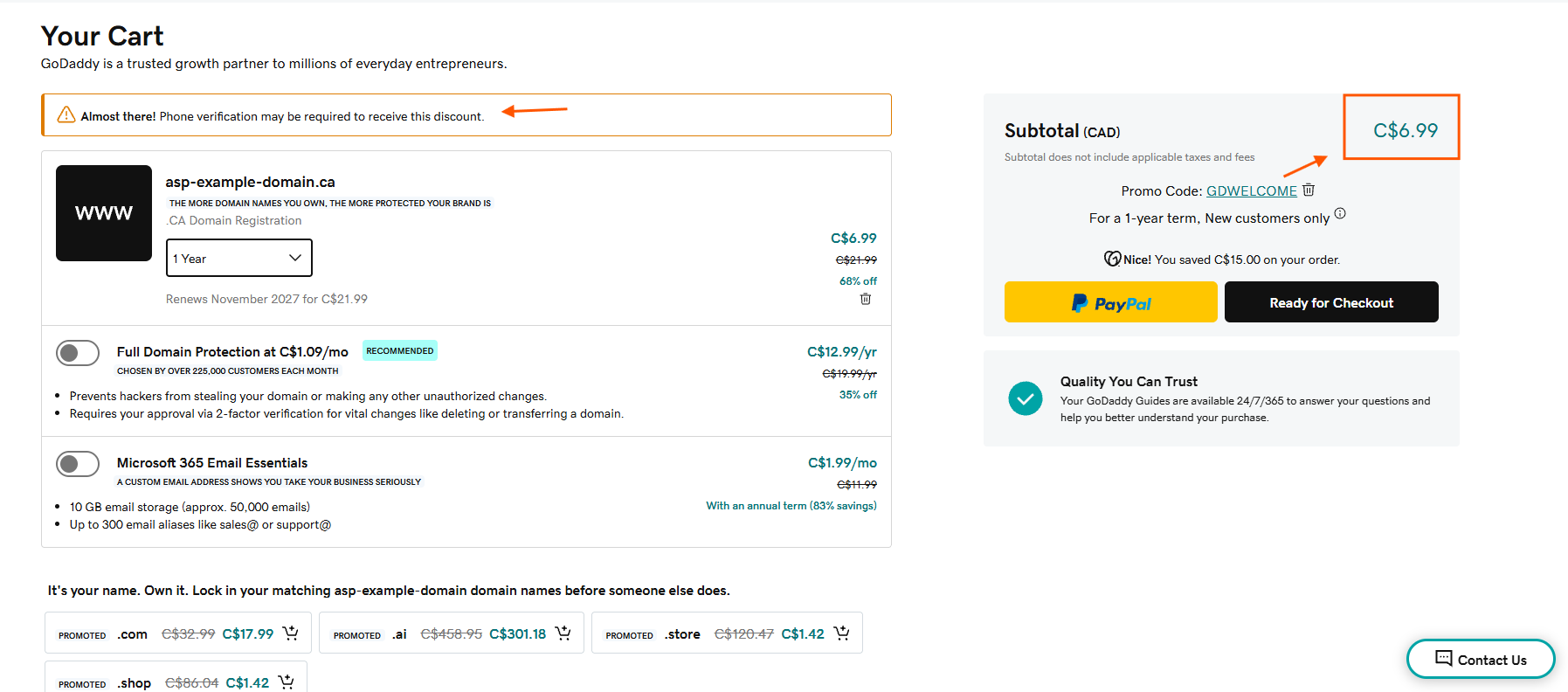
GDWELCOME is for new GoDaddy customers and switches the domain to 1 Year, bringing it to C$6.99. GoDaddy may ask to verify your phone number to give you the discount. Click Ready for Checkout.
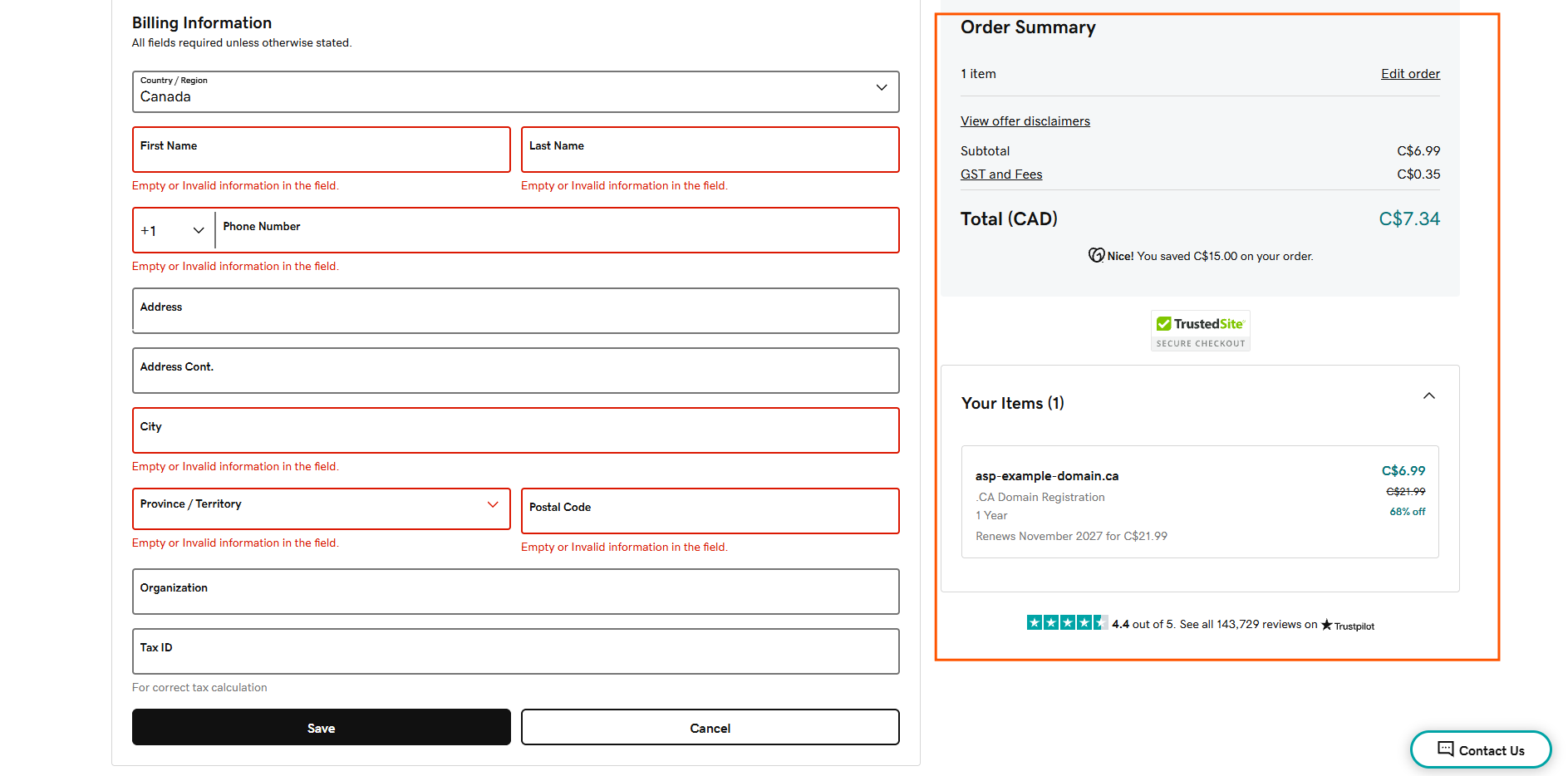
Make sure all your billing information looks accurate, inspect your Order Summary (about C$7.34 with GST) and hit Save to proceed to enter your card details.
2. Enter it in ASP
Back in ASP's Custom web address tab, under Step 2: Connect it, tick I've done A or B above. That unlocks the box.
Type your domain, like yourstore.ca, and click Apply. ASP uses www.yourstore.ca for your website.
ASP now shows Waiting for your domain… Read Step 3: Add the record at GoDaddy below.
3. Add the record at GoDaddy
At GoDaddy, open your account's Domains list, click your new domain, then open its DNS settings.
GoDaddy usually already has a CNAME record named www. Edit it. If there isn't one, add a new record with Type CNAME and Name www.
Set its value to stores.asp-software.ca, exactly as ASP shows it, leave the TTL as it is, and save.
4. Forward the address without www
So that yourstore.ca opens your website too, not only www.yourstore.ca:
In your domain's settings at GoDaddy, find Forwarding and add forwarding for the domain.
Forward it to https://www.yourstore.ca (your own domain with www in front), choose Permanent (301), and save.
5. Wait for Live
Back in ASP, click Check again now and then. It usually takes a few minutes, sometimes a few hours. Your website stays on its ASP address until then, so nothing goes down while you wait.
When it says Live, your website is at your own domain, with its padlock (SSL certificate) set up for you.
If something's not right
- Still waiting after a day? Check the record at GoDaddy: the Name is just www (GoDaddy adds your domain itself), and the value is exactly stores.asp-software.ca.
- Want to go back? Click Remove in the Custom web address tab. Your website goes back to its ASP address right away.
- Need a hand with any of it? Submit a ticket and we'll gladly take you through the whole process.